Claude doesn’t accept video. My client regularly sends 5-10 minute Loom walkthroughs showing what they want changed in the product. Even when I watch these carefully, translating what I saw into something Claude can act on is tedious and lossy. You’re screenshotting frames, writing descriptions, trying to remember what the client said while pointing at that specific dropdown. Details slip through.
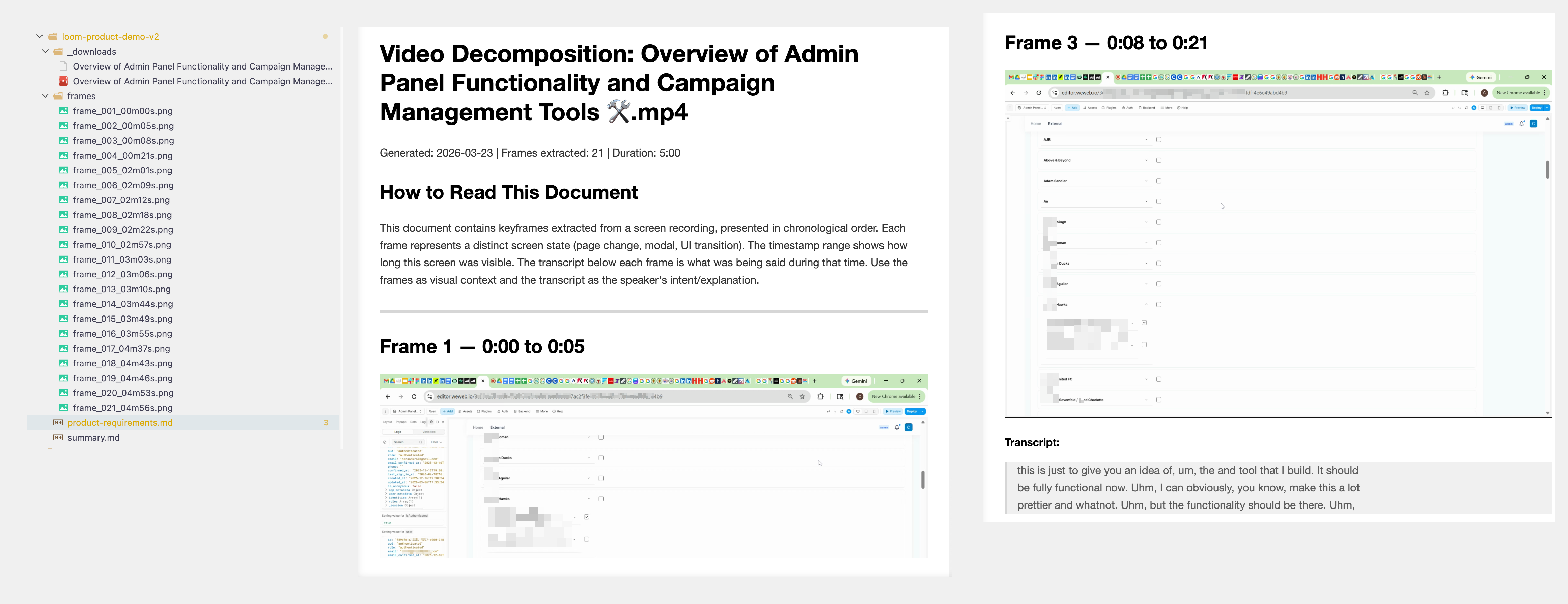
I built a Claude Code skill called video-decompose to automate this. It takes a screen recording and its transcript, extracts the unique keyframes (using image similarity to skip redundant frames), and pairs each frame with whatever the client was saying at that moment. Frame 5 shows a settings panel, and right next to it is the transcript: “this dropdown should really be a multi-select, and we need validation here.”
Claude then reads all the annotated frames, views the images, and produces a structured requirements document. Each requirement references the exact frame and timestamp, so nothing gets lost in translation.
One slash command. Point it at a video and transcript, and a few minutes later you have a grounded requirements doc instead of a page of notes you typed while scrubbing through a Loom.
Some details on how it came together:
Tool first, skill second. I built a standalone Python CLI for the video processing, got it working well, then used Anthropic’s skill-creator plugin to package it as a Claude Code skill. The skill format means Claude activates it automatically from conversation context, or I can invoke it with /video-decompose.
CLI over MCP. Instead of building an MCP server, I made the CLI itself agent-friendly: JSON to stdout, progress logs to stderr, meaningful exit codes. Claude calls the script, parses the output, and reasons over it directly. A CircleCI post on MCP vs CLI convinced me a well-structured CLI is often the better choice for single-tool workflows like this.
Tunable frame capture. The tool exposes a similarity threshold (lower = fewer frames), a minimum time gap between frames, and a sample rate. Defaults produce 12-15 clean keyframes from a 10-minute video without any tuning.
Claude built almost all of it. I described the problem, sketched the approach, and made decisions at key forks (two-pass frame extraction, CLI over MCP, skill packaging). Claude wrote the Python, the SKILL.md, the extraction prompt, and published the skill to GitHub. Idea to installed skill in a single conversation.
I’m really enjoying this workflow: notice a repeatable pattern in how I work, figure out a solution, then package it as a skill. video-decompose is one of about ten I’ve built so far, covering everything from UI grading to research to content harvesting. They’re all on GitHub. I wouldn’t recommend dropping them into your project as-is, but they should give you a sense of what kinds of workflows you can automate with skills.