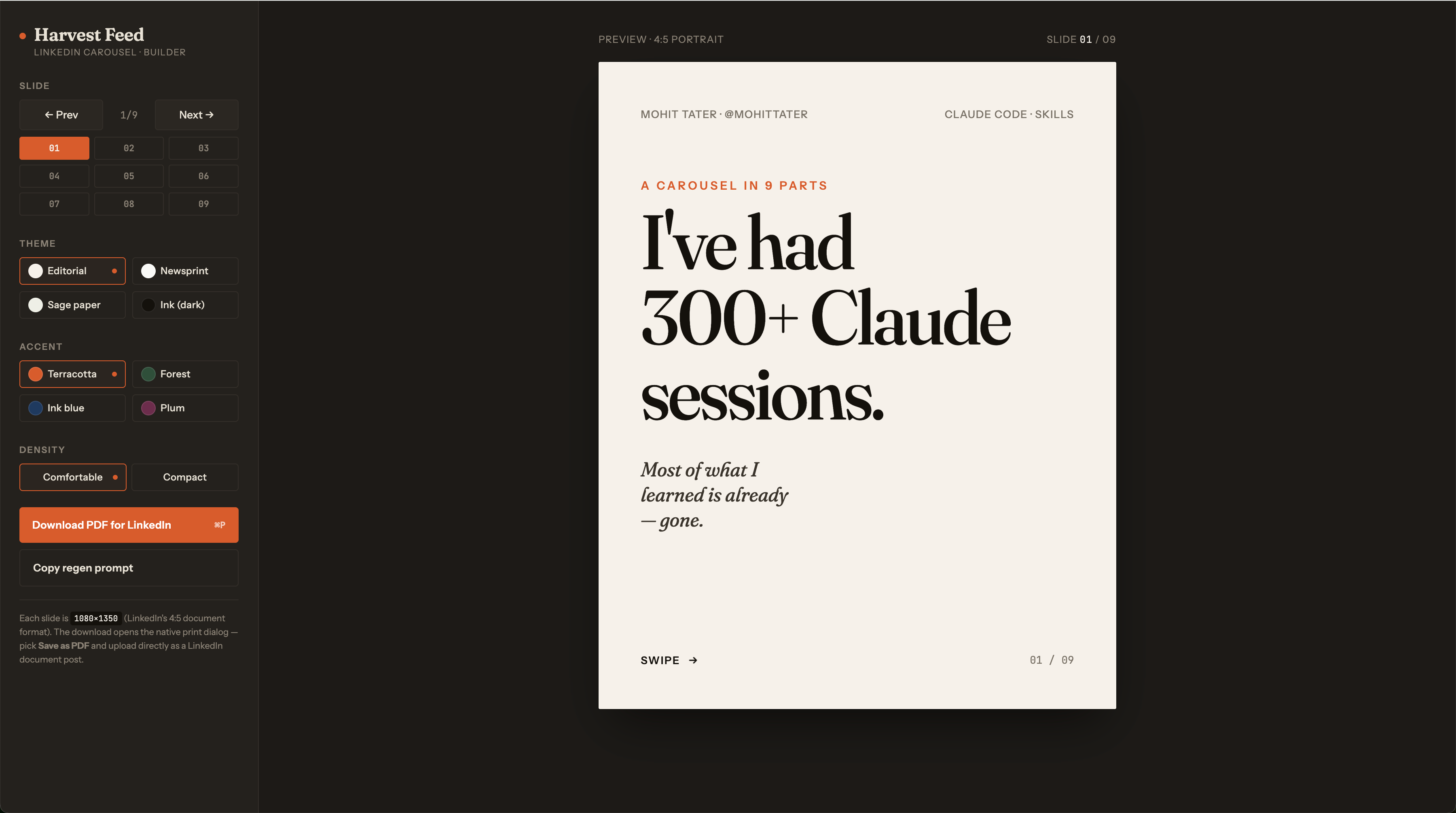
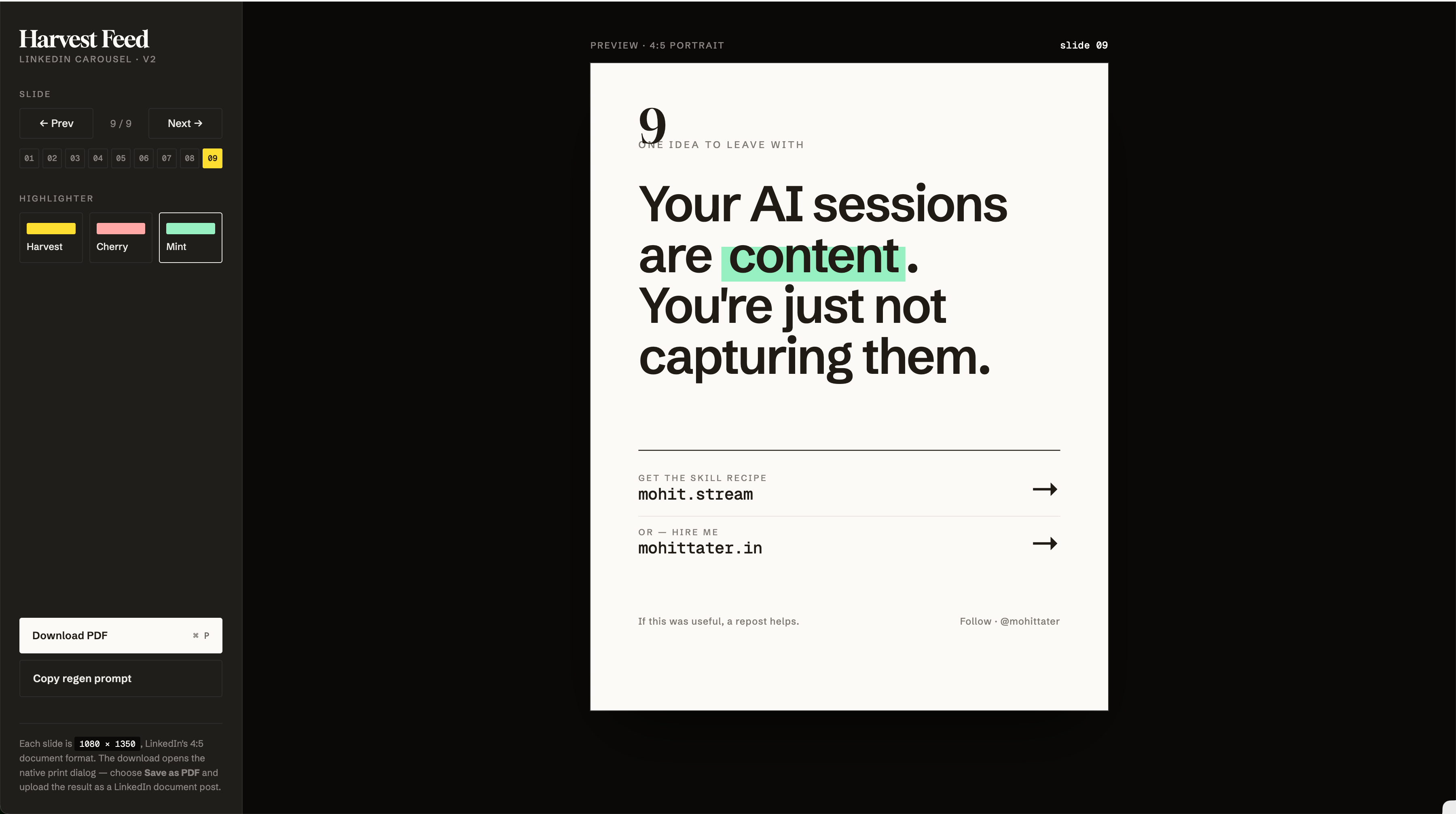
You can build a publish-ready LinkedIn carousel from a blank Claude Code session in three prompts. No Canva, no Figma, no design files to wrangle. The output is a single HTML page you print to PDF and upload as a LinkedIn document post.
The trick is to let the skills do the work. You bring the topic; Claude handles the slides, copy, layout, and export.
What you need
Four skills installed in Claude Code:
- /playground — scaffolds an interactive single-file builder with controls and a live preview
- /frontend-design — picks a coherent aesthetic instead of generic defaults
- /impeccable — pushes the design past what Claude reaches for by reflex
- /harvest-feed — captures the session into a publishable note when you’re done
Plus a Chromium browser for the print-to-PDF step.
Step 1: Generate the carousel
Hand Claude your topic and the two skills. Something like:
/playground build me a LinkedIn carousel about
. Use /frontend-design for the look and feel.
That’s it. You don’t specify slide count, dimensions, fonts, layout, copy, or CSS. The skills decide the slide arc, write the copy, lay out each slide, pick typography, and wire up a sidebar with a download-PDF button. You get a working v1 you can preview in the browser.
Read through it. Tweak copy directly in the chat — “slide 3 is too long, cut it in half”, “swap slide 6 and 7”, “the hook isn’t punchy enough”. Iterate until the story works.
Step 2 (optional): Push the design past defaults
The v1 will be solid but it’ll look like Claude designed it. If that’s fine, skip ahead. If you want it to feel intentional, add /impeccable:
/impeccable rework this carousel so it doesn’t read as default Claude design.
It’ll swap the fonts, change the visual motif, restructure the chrome, and commit to a single aesthetic across all slides. You can keep nudging it — “warmer palette”, “more editorial”, “the highlight should look like a real marker stroke” — until it lands somewhere you like.
This is the step where the carousel stops looking generic.
Step 3: Export to PDF
Hit the download button in the sidebar (or ⌘P). In the print dialog:
- Destination: Save as PDF
- Background graphics: ON — Chrome omits backgrounds by default, which strips your colors and any decorative strokes. This is the only setting people miss.
Upload the PDF to LinkedIn as a “Document” post. Each page becomes a swipeable slide.
Why this works
The whole workflow is three prompts because the skills carry the design knowledge. /playground knows how to build interactive single-file artifacts. /frontend-design knows what a coherent aesthetic looks like. /impeccable knows what generic AI design looks like and how to escape it. You don’t need to hold any of that in your head.
The mental model: describe the topic, accept the v1, push for taste, export. Everything else is the skills’ job.